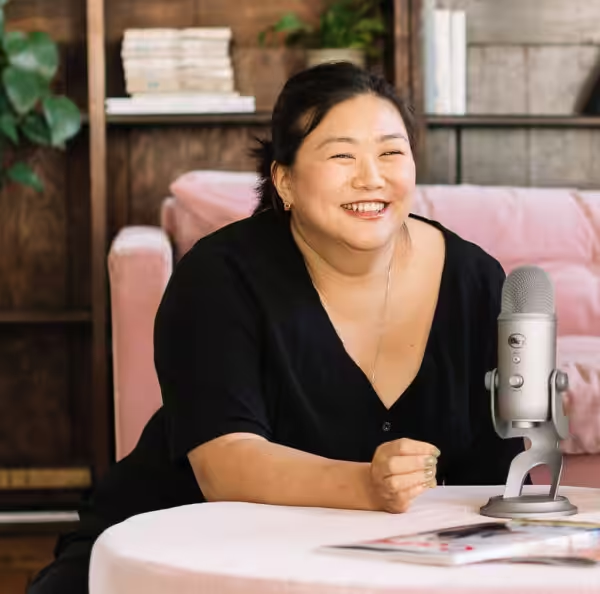
You might think of podcasts as solely an audio medium, but scroll your social media platform of choice for a few minutes and you’ll notice: there’s loads of podcast video around right now.
If the purpose of recording a podcast is to have content that will showcase your expertise and connect you with your audience, filming yourself doing it will increase this tenfold (not an actual stat, but the point still stands).
Podcast videos ensure that you can easily repurpose the episodes on other platforms, especially the ones with algorithms that are prioritising video content. It’ll also help up your game and separate you from a lot of competitors.
As the founder of LRB Media, a video and podcast production company, I work with businesses to create podcast videos, bringing a full studio setup to their premises. But if that’s out of your budget or scope, I’m a huge advocate of creating your own podcast videos, because I’d rather you make something than nothing.
We’ve seen that user generated content can be really well-utilised and perform incredibly well across LinkedIn and other social channels, even in the B2B sphere, so I want to encourage you to pick something up and get going.
With that in mind, here’s my guide to creating podcast videos for yourself without needing loads of money or loads of technical knowledge.
Setting up your audio for a podcast video
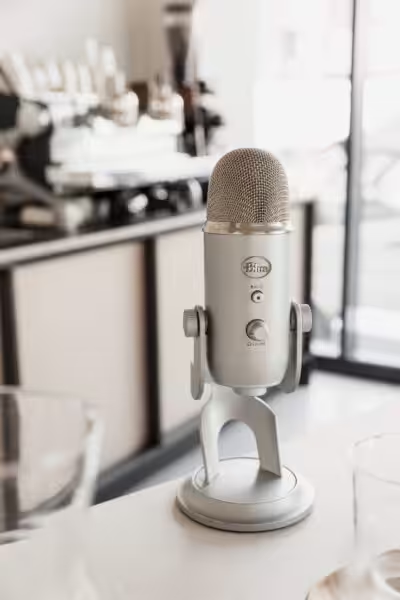
What type of microphone should you use to record a podcast?
For recording podcasts, whether on video or not, I think your first investment should be in audio.
If you’re looking for a budget-friendly, mobile set up, then there are a number of different microphones that can connect directly to your phone. These are known as lavalier mics – or lav mics – which you just attach to your clothes, turn on the switch, and start recording hands-free. I’d recommend mics like the DJI Mic 2 and RODE Wireless Go.
Let’s say you’re making your own podcast recording studio though, the mics that you use there might benefit from being more substantial. I would opt for the Shure SM7B’s and RODE PodMics if you have a tighter budget.
Make sure your audio levels look good
Your audio level is the visual representation of the audio you’re creating – the way you’ll be able to check what your audio is like via a screen. Make sure your audio levels aren’t too low, and that they’re evenly distributed. You want to ensure that you’re peaking at an absolute maximum of -3 decibels (which you should be able to see on the screen where you edit.)
Audio works in two ways using ‘channels’, which are single paths of audio going from one place (like your microphone) to another (like your speaker):
- Mono (where it goes through both channels)
- Stereo (where left and right are separate channels)
Have you ever listened to something and realised that all of the sound is coming out of either the left or right speaker or headphone? If your audio is doing this, there’s a tool to fix this called either “fill left to right” or “fill right to left”. That will distribute the audio across both sides.
Always make sure you’re filming a multitrack if you’re filming with multiple people. This means capturing the audio from each person on its own track to ensure you can edit each microphone separately instead of having one file that’s an amalgamation of all.
How to use your phone to record a podcast video
While you could go out and buy a camera, everybody’s got a great camera in their pocket. You can get a lot out of using your iPhone by setting it up on a small tripod (more on that below).
With the right settings, phones nowadays can be a good match for some of the best cameras in the world.
Phone settings for podcast video recording
When you’re filming a podcast video on your phone, make sure you film it landscape, on a high resolution of 4K and 25 frames a second.
This means you have more pixels to play with when you crop in your edit. When we’re working with clients, we like to film with a camera and one phone, giving us two angles for the final podcast video edit.
How to light your podcast video
First things first, let’s get the lighting right – because a poorly-lit podcast video will be scrolled straight past.
Natural lighting
a.k.a. sunlight. I was taught in film school not to add for the sake of adding, so it’s always great to use what you already have first. See if you can find a window that’ll give you lots of natural light coming in, and position yourselves facing towards it. It’s important to make sure that this light isn’t lighting you from the back, otherwise you’ll be in the shadow.
Manual lighting
a.k.a. artificial lighting that you’re using. If your natural lighting environment is still too dark and underexposed, you can use a softbox light, which diffuses and creates an even blanket of light to a large surface area, compared to an LED light which can be harsh.
Any light source can be softened and you can create your own softbox with a diffuser. It’s usually something like a dome, lantern or even thin fabric that’s put in front of the light to diffuse it.
We use the 45-degree lighting rule to create contrast on the face, which gives the shots a more cinematic feel. This means positioning your light-source slightly to the right or left of the subject to create a 45 degree angle of light to your face.
How to frame your podcast video
You’ve decided where you’re going to film it and sorted the lighting – now it’s time to establish your podcast video setup. Especially if you’re doing a B2B podcast, your image is who you are, so you want to make sure it looks top notch.
Dressing your podcast video scene
When filming your podcast video, you’re gonna want a recognisable, on-brand scene – of course, this might change over time but starting with a good basis will give you a throughline.
If you can, create a corner that you can go to regularly, where you’re visible and don’t have too much visual clutter behind you. This busyness will detract from your content.
Using a tripod to keep your shot steady
As promised, we’re back to tripods. A tripod here means a frame or support to keep your phone (or camera) steady at different heights and angles, and it’s an essential piece of your kit to ensure your podcast video is stable and consistent. It also helps with the next point of staging, too.
Getting the staging right
Maintain your camera level at eye or chin-level, parallel with you and your guests’ faces, so you’re not looking up or down at them too much. Also, make sure it’s not on a wonk- you want it to be at a nice 180 degrees, so the whole video isn’t tilted.
Shooting this level from a variety of different camera angles in the room – for example, one of you face on, one of you from the left, and one of you from the right – is always nice so that you’ve got options in post-production.
Using the Rule of Thirds
One of the rules that will make a huge difference in looking like a podcast video pro instead of a novice is the Rule of Thirds.
Imagine your frame is split into three equal vertical sections: you want to justify you and your guests to these lines that split the sections up, so they’re off-centre to the left or to the right. Positioning people here creates more interest in the composition of the shot, as opposed to simply just popping them in the centre of the frame.
Using the 180 Degree Rule
The second is the 180 Degree rule, which is the idea that the camera cannot pass a 180 degree line extending from you and your guest (hence the name). What this means is that you always stay on the same side of your guest, and vice versa – making it less confusing for viewers.
For example, if we were on a podcast right now, I’d have a camera over my right shoulder looking at you so you’re just looking off frame – and viewers would know that it was you that I was looking at.
Framing your podcast video for social media
When you’re filming your podcasts, you want to bear in mind how you’re framing so that they can also be social media-friendly. Though podcast videos are in a landscape aspect ratio at 16:9, the world is all about portrait videos, which are 9:16.
This means you should always give yourself a little bit more space than you think you need around the edges; that way, you can repurpose your podcast video as a portrait social post with the right spacing.
How to create social media clips from your podcast videos
With podcasts, a lot of the promotion is down to video clips: those small nuggets, those 30 seconds or one-minute videos that show sparks of knowledge that will draw people in. This means we want to get the most out of the longer-form video.
Planning your podcast video for social media
I would always write the structure of your episodes in line with the clips. Think about this: what is going to make a great clip? What line could you say that will make a great hook for that social clip?
For example, in this social media clip for The STOIX Podcast, we picked out some of podcast guest Alex Gersh’s top comments and put them at the very start of the clip.
- What he personally is looking for, and
- A bold claim about a slightly controversial opinion he has
These are your key points, and you can then delve into it in detail on the actual podcasts (which are what they’re built for after all).
How to add subtitles and captions to your social media posts
We recommend you use CapCut to add subtitles to your podcast video. With CapCut, you can highlight individual words and quickly make those words bigger, which perform better than the inbuilt captions on platforms where the primary function is accessibility.
The captions in CapCut are still more than accessible, but with the double bonus that they’re a bit more interactive.
Your viewers will find themselves tracking the words and really taking in the information when the clips have those bright colours one by one word at a time.
My top pieces of advice for recording podcast videos
Just start doing it
It can be very daunting to jump on camera, but the glory of a podcast video is that you’re not talking to the camera; instead you can just talk to a human and it happens to be being recorded.
It’s the 1000 hours thing – the more you do it, the easier it gets. Keep it on top of it and you will get better every time you do it.
Put effort into the audio and the video
The director Danny Boyle says that 70% of the film experience is audio, so it’s definitely still as important for podcast videos as it is for standard podcasts.
But this isn’t to say that you shouldn’t prioritise the filming part of it either. That’s what this blog post is for, high quality elements without breaking the bank.
The main things to invest in are your microphones, tripod and a softbox; you can probably get all of these podcast video essentials for under £500.
Be patient and consistent
The key to getting a return with podcast video is consistency. This isn’t just “Let’s bang three episodes out and then we’ll get loads of return”. It’s very much like SEO (a topic that the team at Studio Cotton have a wealth of articles about) in the sense that you’ve got to work at it.
You’ve got to consistently release episodes and clips, some of which will perform and some of which won’t, and you can’t get disheartened by that.
You have to know that the podcasting effort is paying off, and the direct return will come.
I hope my tips for podcast video creation were helpful; if you want to know more about professional podcast production and video head over to the LRB website and follow us on Instagram and LinkedIn. If I’ve missed your favourite tip please do let me know!
Until next time, dive into another helpful article for podcasters from Studio Cotton.